Print your Autter sticker
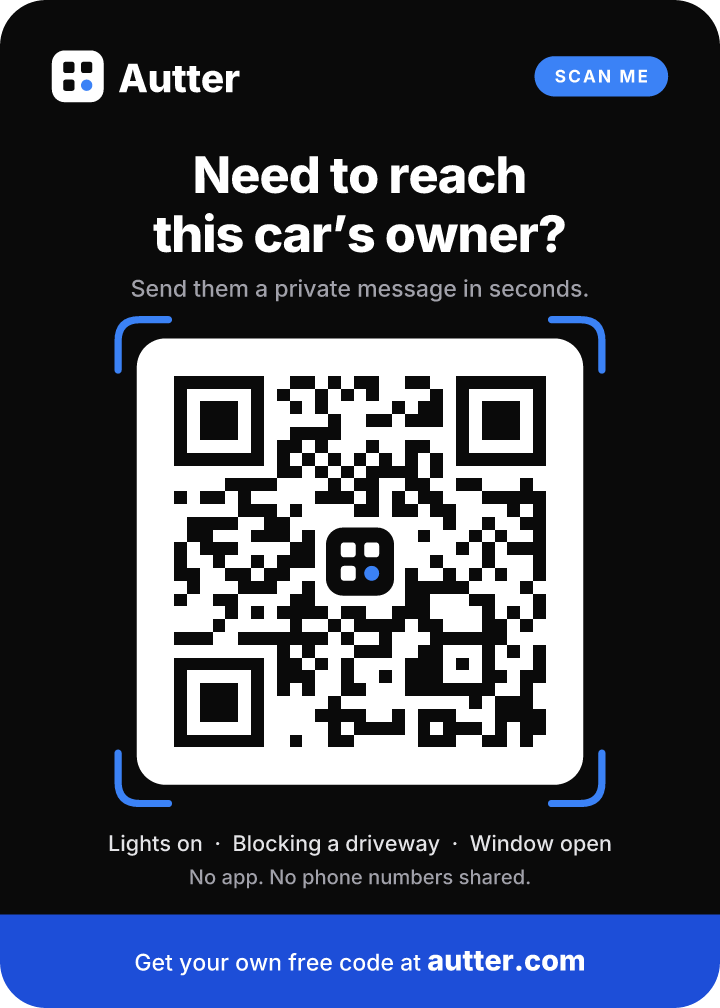
Your sticker is free to download. Here is how to print it so it lasts and scans every time.
In three steps
- 1Download your sticker from the QR code page in your Autter account. The PDF has two stickers at actual size.
- 2Print it at 100% ("Actual size", never "Fit to page"), in colour, on matte paper.
- 3Scan it with your own phone before putting it up. If it opens your message page, you're done.
Three ways to print it
At home
Fastest · almost free
- Colour inkjet or laser printer.
- Matte card stock or matte photo paper. Glossy paper reflects light and can make scanning harder.
- Optional: a self-laminating sheet or a clear sleeve keeps it from fading in the sun.
- Tape the corners to the inside of the glass, printed side facing out.
At a print shop
Same day · a few dollars
- Any copy centre works, for example Staples / Bureau en Gros, The UPS Store or a local print shop.
- Bring the PDF on your phone or a USB key.
- Ask for a colour print on card stock, laminated and trimmed along the dotted line.
- Prefer the vector file? Download the SVG version. Print shops can scale it without losing sharpness.
As a window cling
Cleanest look · reusable
- Online sticker printers sell static clings that stick to glass without glue and peel off cleanly.
- Upload the sticker PNG or SVG and choose a size around 9 × 13 cm (3.5 × 5 in).
- Pick the option made to be applied on the inside of the glass and read from outside (often called "inside mount" or "front adhesive").
- Order a couple. Clings are handy for a second car or the rear window.
Where to put it
- Lower corner of the windshield on the passenger side is the best spot. People walking by see it first.
- A side or rear window works too, at about chest height.
- Never place it where it blocks your view of the road. Check your local rules on windshield stickers.
- Avoid tinted bands and dark film. The code must sit behind clear glass.
Print specs
- Size
- 9 × 12.6 cm (3.6 × 5 in) in the PDF. Don't go smaller than about 7 × 10 cm.
- Colour
- Full colour looks best. Black and white still scans.
- Finish
- Matte. Gloss and glare make scanning harder.
- Files
- PDF (2 per page, US Letter), PNG (high resolution), SVG (vector).
Good to know
Will the code still work if I replace it?
If you replace your code in Autter, the old sticker stops working right away. Print the new one. Pausing your code keeps the same sticker.
Does the sticker show my name or number?
No. It only contains a link to your private message page.
Don't have a code yet?
It's free for drivers and takes about a minute.
Get my free QR code